Yes! As long as the judging round remains open, you can return and edit any completed evaluation.
To edit an evaluation:
After submitting an evaluation, or from your home page, click on the evaluation round.
Once you are on the completion overview page, locate the entry you wish to update and select “Go to Edit” either from the three-dot menu in the table or down the right input pane.
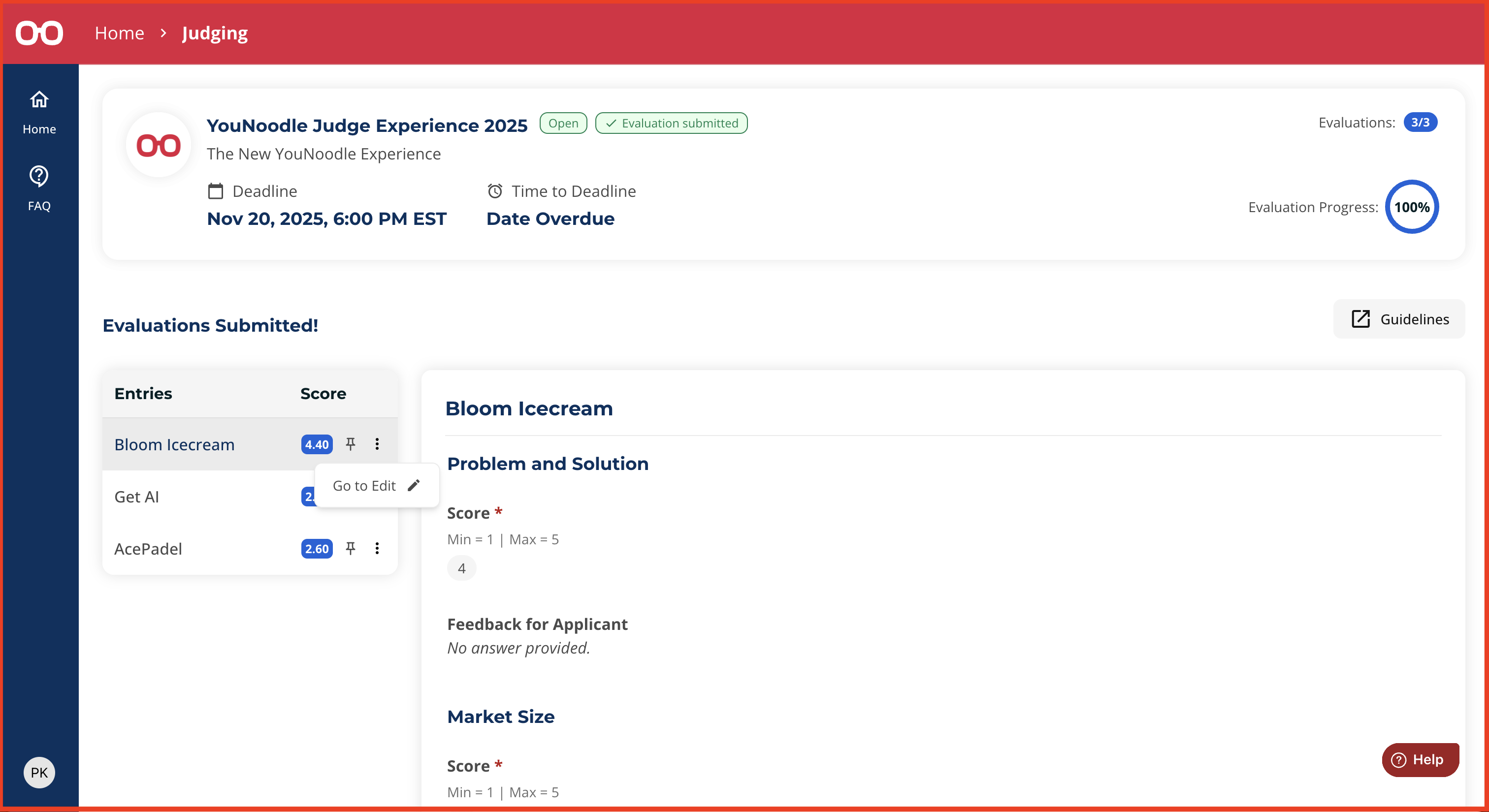
You will return to the evaluation criteria, where you may adjust your scores or feedback as needed. All changes are automatically saved and will be visible to the program organizers. Don't forget to click “Submit evaluation” once you are finished.
Was this article helpful?
That’s Great!
Thank you for your feedback
Sorry! We couldn't be helpful
Thank you for your feedback
Feedback sent
We appreciate your effort and will try to fix the article