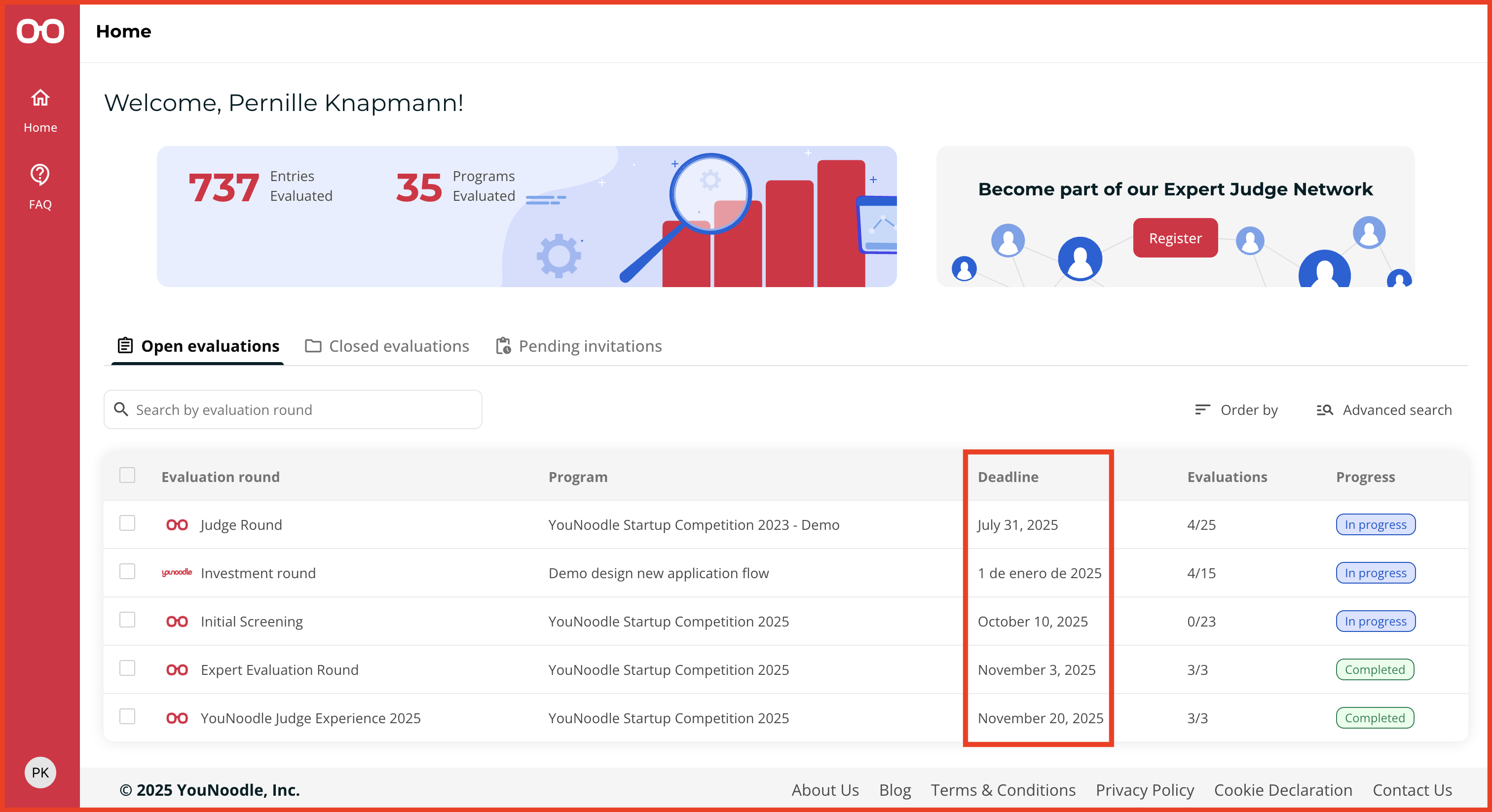
Each judging round has its own timeline. To check the status and deadline of your round:
Log in to YouNoodle: Click the “Login” button at the top right of the YouNoodle website.
View Your Programs (Home): Once logged in, your Home page displays the programs you've been invited to judge, organized under three tabs:
Open Evaluations: Lists active judging rounds, marked with a blue "In Progress" label, that you can still participate in.
Closed Evaluations: Shows rounds that are no longer active, with the deadline listed next to the round name.
Pending Invitations: Lists invitations awaiting your response.
The deadline for each judging round is always displayed next to its name.
Was this article helpful?
That’s Great!
Thank you for your feedback
Sorry! We couldn't be helpful
Thank you for your feedback
Feedback sent
We appreciate your effort and will try to fix the article