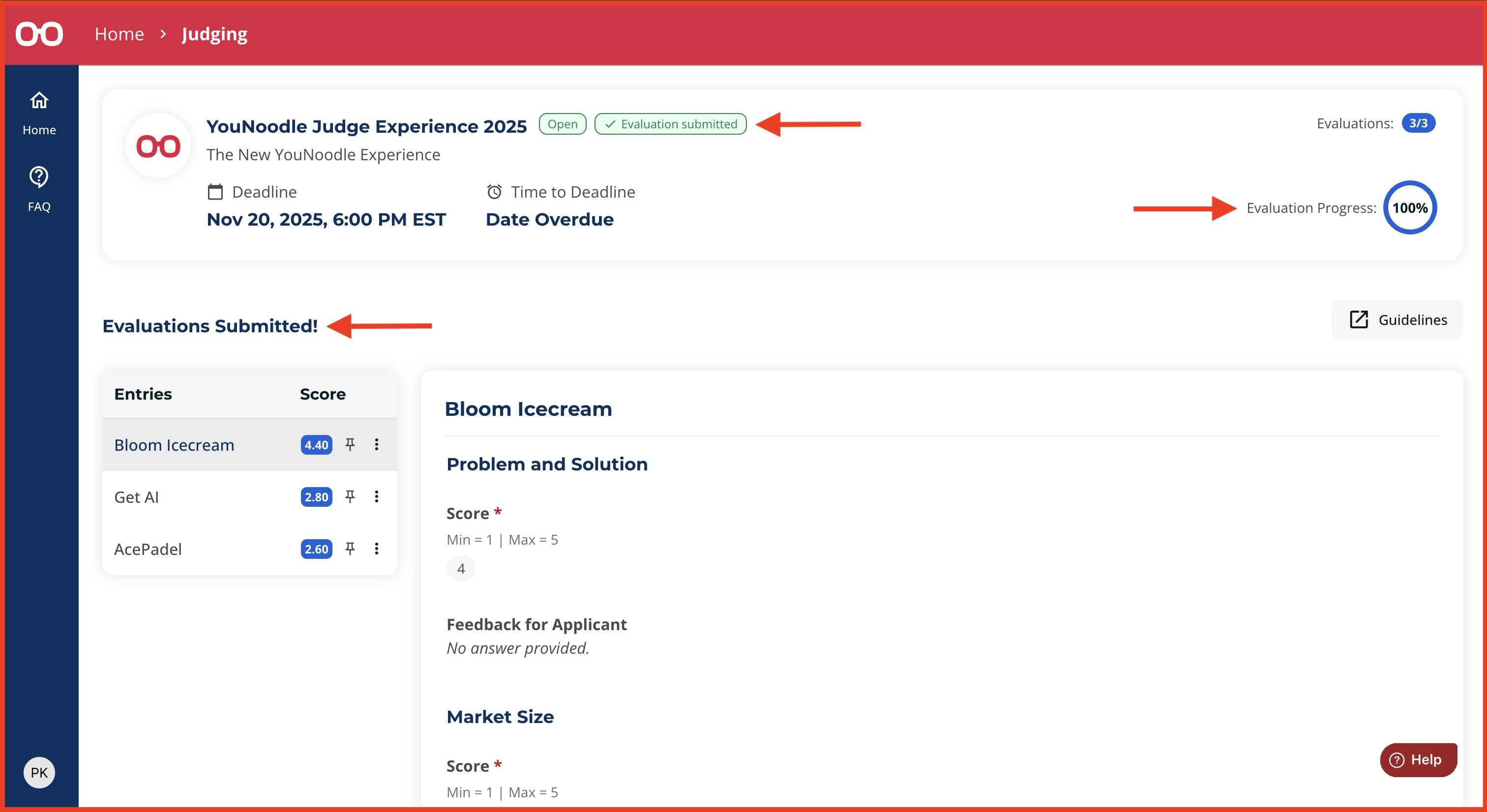
After you submit evaluations for all assigned entries, a pop-up message will appear saying “Evaluations Submitted!“, and you will be redirected to a confirmation screen. You can also confirm completion by:
On the completion page:
Your evaluation progress will show 100% in the top-right corner of the Overview section.
An “Evaluation Submitted” tag will appear at the top of the page.
You will see a summary of your inputs across all entries.
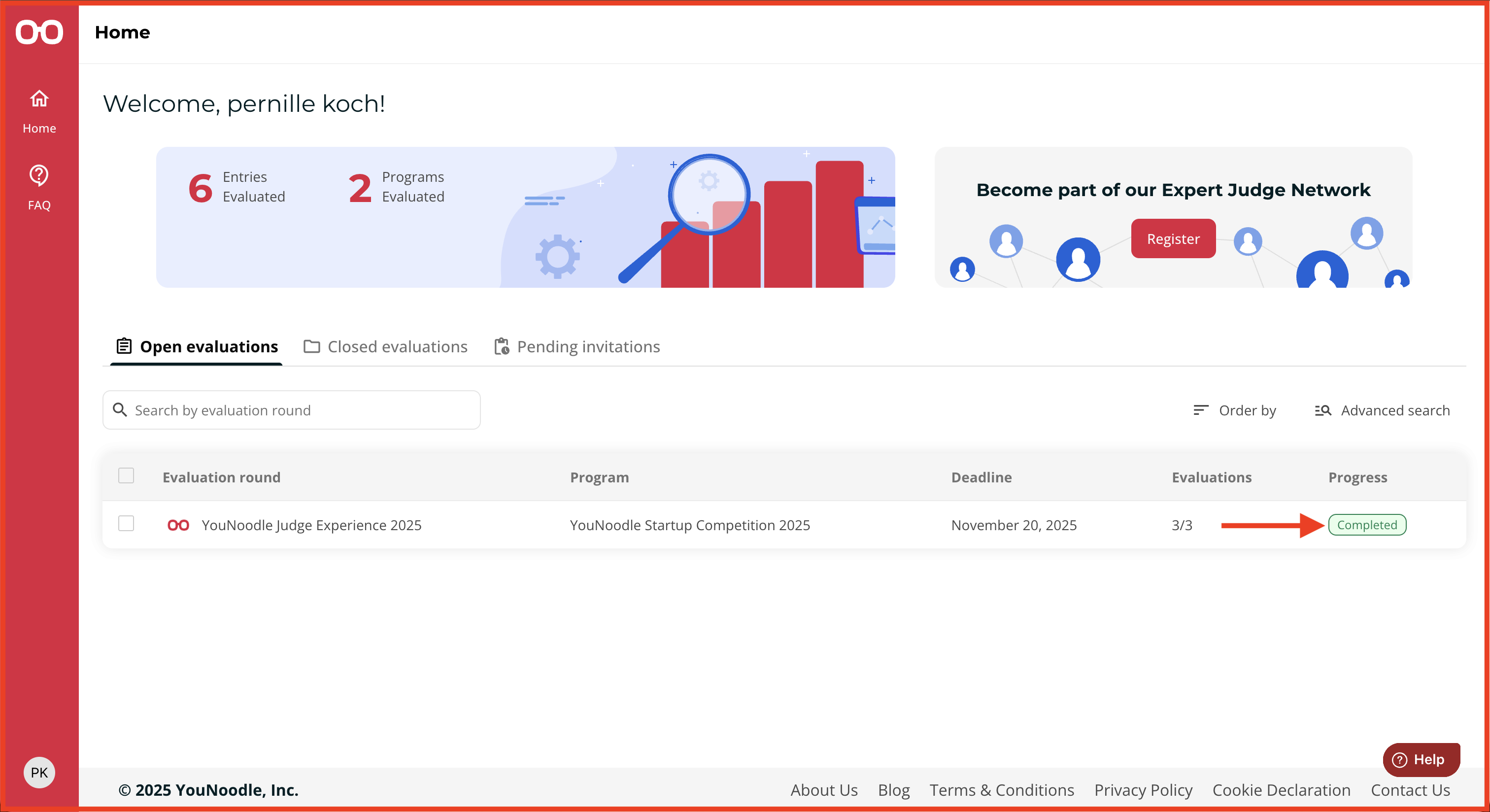
From your Home page:
The evaluation round will display a “Completed” status in the progress column.
Was this article helpful?
That’s Great!
Thank you for your feedback
Sorry! We couldn't be helpful
Thank you for your feedback
Feedback sent
We appreciate your effort and will try to fix the article